

Plan your approach to Level 2794
Configuration 1 · Targets, tray management, and time-saving decisions
Your collection plan
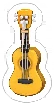
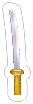
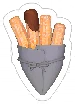
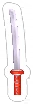
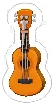
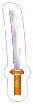
Level 2794, Configuration 1 has a 1:45 time limit. Your targets are Guitar Orange × 9; Bear Skate Orange × 9; Wood Shoes Orange × 9; Katana Orange × 12. There are 240 objects on the board: 39 targets and 201 non-targets. Targets account for 16% of the starting objects.
Which items to distinguish
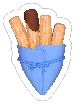
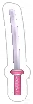
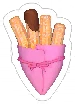
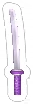
Watch these target/non-target pairs: Guitar Orange is a target; Guitar Yellow is not; Bear Skate Orange is a target; Bear Skate Yellow is not; Wood Shoes Orange is a target; Wood Shoes Yellow is not; Katana Orange is a target; Katana Yellow is not. They share a named item family. Compare their real icons before selecting a partly covered object; clearing the non-target version will not advance that target counter.
The item names also share color labels in these pairs: Guitar Orange and Jellyfish Orange; Bear Skate Orange and Jellyfish Orange; Wood Shoes Orange and Jellyfish Orange. Use the icon's outline as well as its color. These are recognition checks based on item names, rather than a claim that every pair looks equally similar on the board.
Where to focus your opening
You have 4 target types to track. Start with a complete exposed triple, then rescan the surface. Choose the type whose third match you can already identify, instead of opening unfinished sets across Guitar Orange, Bear Skate Orange, Wood Shoes Orange at the same time.
Non-targets make up 84% of this configuration (201 objects). When targets are obscured, look for finishable non-target triples that reveal them. Keep each removal purposeful: a single non-target occupies tray space without completing a set. The counts indicate a large distraction pool, but do not establish where any object is hidden.
How to use the time limit
The 39 target objects require 13 target triples. Dividing the 105-second limit by those triples gives 8.1 seconds per target triple if all time were spent on targets. This is a planning allowance, not a measured completion time; searching and clearing non-targets also use that same clock.
Use short scans rather than long searches for a preferred target. Complete visible sets, then narrow the next scan to types already waiting in your tray. As the clock runs down, use the remaining goal counters to decide which shapes still deserve attention.