Match Factory boosters guide
The four in-level boosters, their effects, and practical ways to use them. Choose an effect for your immediate problem, then plan your next match.
What is stopping your clear?
Check your goal card, collection bar and timer. If you can already complete a visible match safely, try that first.
Match Factory in-level boosters
Choose a booster for the problem you are facing: remaining targets, a crowded collection bar, a difficult pile, or a short timer.
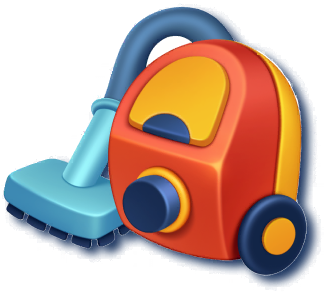
Vacuum
Removes three target items from your goal card.

Fan
Shuffles the items on the board to give you a different view of the pile.
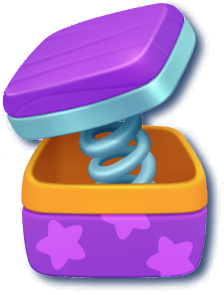
Spring
Undoes one item from your collection bar.
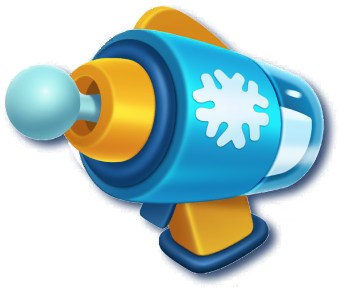
Icegun (Freeze)
Stops the timer for ten seconds.
Booster effects follow the official Match Factory Help Center. Spring is the undo booster; it is not a separate fifth power-up.
Three situations, three different decisions
These are planning examples, not recorded solutions for a particular level.
Your collection bar is nearly full after a misclick
You are holding a pair, but accidentally pick a different item. Locate the third matching item before selecting anything else. If Spring can undo the mistake and leave room to finish that reachable match, it addresses the immediate problem. If the matching item is still buried, recovering a slot alone does not solve the whole position.
You have space, but cannot find a useful match
Compare shapes and colors with your goal icons, then scan the exposed edges as well as the center. Fan offers a different view if the pile is difficult to read. After shuffling, first look for an item that completes a pair in your bar. Fan changes the board; it does not undo a mistaken pick or empty the collection bar.
The clock is low and a few goals remain
If the needed items are visible and you mainly need time to collect them, Icegun fits the problem. Identify your next match before using the ten-second pause. If finding the remaining targets is the obstacle, consider whether Vacuum's three-item goal reduction helps more. Read the updated goal card afterward; neither effect guarantees a clear.
Make your next attempt easier
- Repeated wrong picks: compare shape and color before selecting. Similar colors can belong to different objects.
- Repeated bar overflow: finish existing pairs where possible before starting another item type. Look for reachable matches rather than collecting isolated pieces.
- Repeated timeouts: learn the target icons before starting and search in small areas. If most of the attempt is spent searching, a ten-second pause may not address the underlying problem.
- Before using another booster: check what the first one changed. Identify the next useful match from the new position.
Compare the target quantities, similar-looking distractors and time limit in your level guide. When a video is available, compare its goal card with your own configuration before following its sequence.
Plan for your actual level
For a difficult stage, review its goals and walkthrough before deciding whether to spend a booster. These guides can help you plan your next attempt.
More resources
Find a video or configuration reference for your level via search or browse all levels.