Color Block Jam Level 2029 Walkthrough
Compare the starting board for Color Block Jam Level 2029, then use the recorded checkpoints and illustrated strategy notes below.
Video source: YouTube · Kamel Tutorial. Watch original recording
Starting board and recorded checkpoints
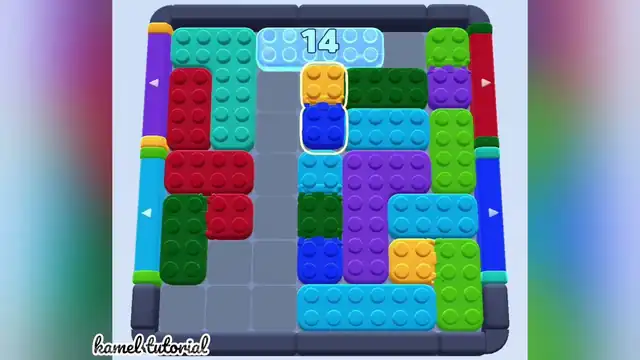
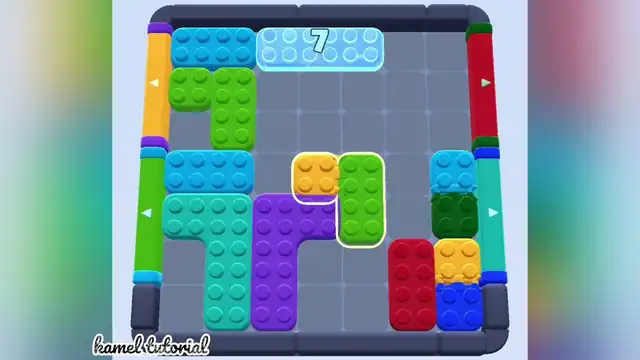
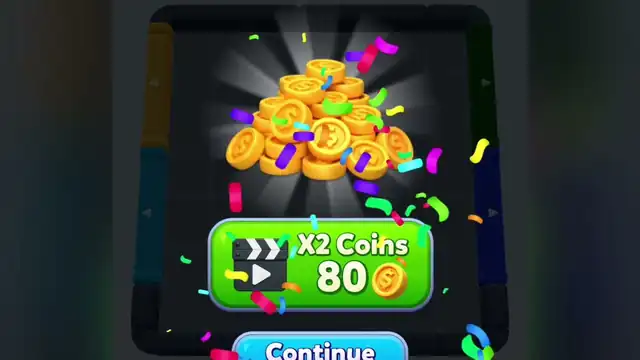
The creator thumbnail is the title card and a packed board with ice 15. The first preview still shows ice 14, a highlighted yellow-on-blue stack under the ice, and some open floor at the lower left. The second preview still shows ice 7 and a much emptier board, with a yellow square and a green block highlighted in the center. The third preview still is the coin reward screen. The colored bars on the left and right edges are not the same colors in every frame.
Creator-labelled Level 2029. These are YouTube's three automatic preview stills from the Kamel Tutorial recording (1:08), in frame order, not measured pause times. The frames do not show the in-game level counter, and a kamel tutorial watermark is on the gameplay stills. The last preview still shows the reward card from this recording. The first preview still shows the ice block at the top. Selected checkpoints, not a complete transcript and not independently replayed. Reviewed: 2026-10-19.
Video checkpoints and movement notes
These are selected recorded checkpoints, not a complete move-by-move transcript. Stop if your board or available exits differ.
| Video time | Action / focus | Result / what to check |
|---|---|---|
| Thumbnail | Ice block at the top center reading 15 and layered dark-green cap on a larger green block are beside the Level 2029 title card. | The yellow 2029 on that card is title text, not the in-game counter. |
| Still 1 | Ice block at the top reading 14 and yellow block stacked on a blue block, both highlighted, directly under the ice are the opening state to match. | Left edge: purple bar with a triangle pointing right, cyan bar with a triangle pointing; right edge: red bar with a triangle pointing right, blue bar with a triangle pointing. |
| Still 2 | Ice block at the top reading 7 and yellow square and a green vertical block highlighted in the center are the later state in the second preview still. | Left edge: orange bar with a triangle pointing right, green bar with a triangle pointing; right edge: red bar with a triangle pointing right, cyan bar with a triangle pointing. |
| Still 3 | Level 2029 stops on the reward card. | Covers the board: a pile of gold coins, confetti, a green button reading X2 Coins and 80 with a coin icon and a clapperboard, and a blue Continue button at the bottom. |
1How To Clear Level 2029
- 1.Level 2029 starts beside the title card with ice block at the top center reading 15 and layered dark-green cap on a larger green block.
- 2.Match the opening still to ice block at the top reading 14 and yellow block stacked on a blue block, both highlighted, directly under the ice before you treat a later still as the start.
- 3.The second preview still has changed to ice block at the top reading 7 and yellow square and a green vertical block highlighted in the center.
- 4.Level 2029 stops on the reward card. Covers the board: a pile of gold coins, confetti, a green button reading X2 Coins and 80 with a coin icon and a clapperboard, and a blue Continue button at the bottom.
Still stuck on 2029?
Check the opening screenshot and the relevant video checkpoint against your own board. If the block arrangement differs, use the planning tips rather than copying a move that is unavailable.
!Pro Tips
- •Do not treat this as established: a full inventory of every layered pair.
- •Do not assume the left and right edge bars are fixed gates; their colors change across frames.